Download the app
Install Shadowlink VPN on Windows. Private LAN is included and ready without a subscription.
 Mochi Software
Download the app and Private LAN is ready to use for free. Want normal VPN access too? Choose VPN 40 or VPN 100, then connect from the same app.
Private LAN included free · VPN plan only required for VPN access · Windows 10/11
Download Shadowlink VPN, use Private LAN for free, and add a VPN plan only if you want normal VPN access.
Install Shadowlink VPN on Windows. Private LAN is included and ready without a subscription.
Pick VPN 40 or VPN 100 only if you want to route your normal internet through Mochi.
Use Private LAN or choose a VPN location from the same app and connect.
Create or join a private Mochi network and connect PCs anywhere using their Mochi IP addresses.
Pick a VPN location and send your normal internet traffic through Mochi using the same app.
Private LAN and VPN locations in one Windows app.
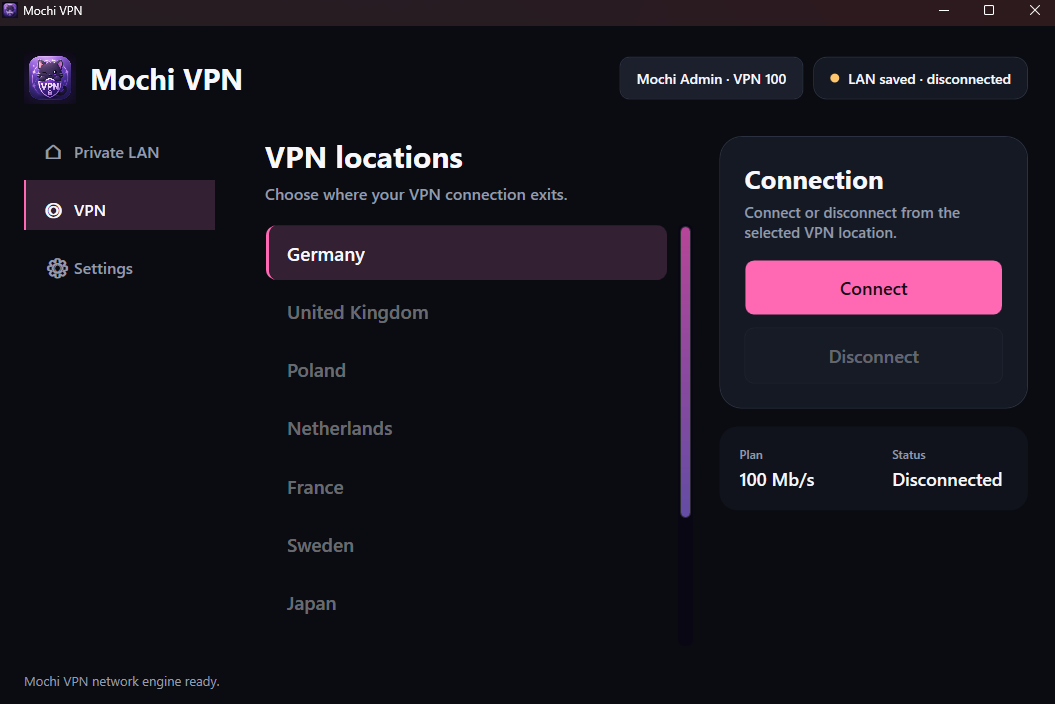
Current Windows app interface, shown with its Mochi VPN branding.
Private LAN is free. VPN 40 and VPN 100 only add normal VPN access.
Start here. Shadowlink VPN includes Private LAN for free, with no subscription required.
Download for WindowsSimple VPN access for normal browsing and lighter use.
More bandwidth for downloads, streaming and heavier everyday use.
Secure checkout runs through Mochi Account on mochisoftware.com, with payment handled by Stripe.